
ServeMe
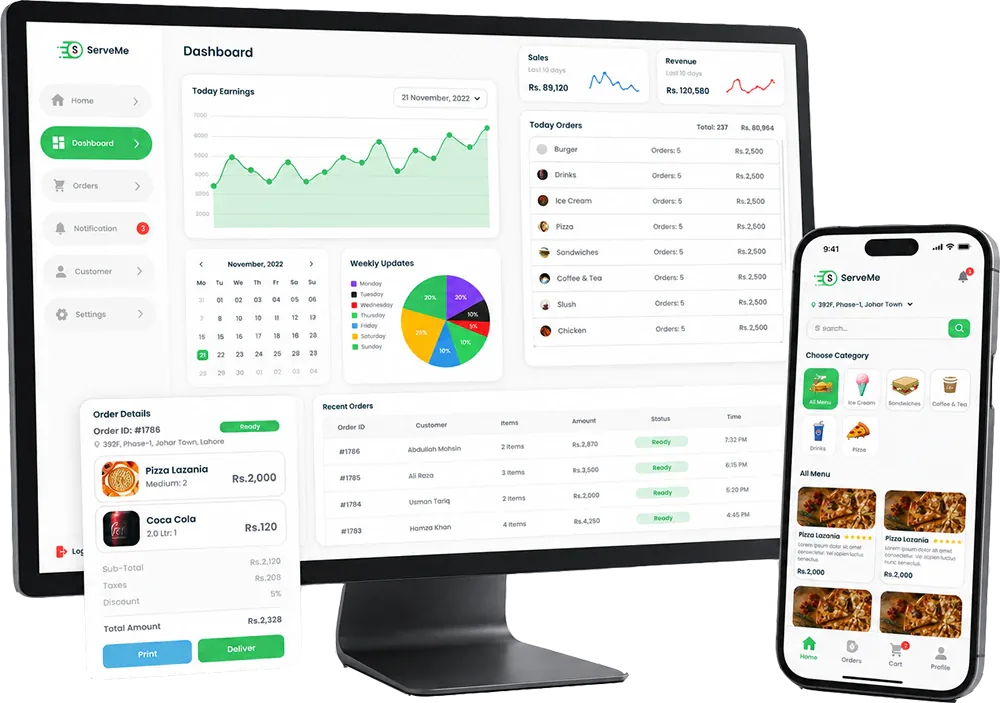
A clean restaurant dashboard UI designed to manage food menus, orders, customers, notifications, settings, and daily restaurant operations.
+69%
+54%
+47%
95%
Project Overview
We designed a complete restaurant admin dashboard UI in Figma for managing food menus, category filters, dashboard analytics, customer orders, customer records, notifications, and account settings.
Client
ServeMe
Industry
Restaurant / Food Ordering
Services
Figma UI Design, Dashboard UX, Restaurant Admin Panel, Prototype
Project Type
Dashboard UI/UX
Turning Business Challenges Into Scalable Solutions
Every project starts with a real business problem. We identify the gaps, simplify the workflow, and build a solution that improves user experience, performance, and operations.
The Challenge
Restaurant dashboards need to manage food items, categories, orders, customers, notifications, and settings in one place. The challenge was to design a clean interface that helps restaurant staff quickly browse data, track orders, and manage daily actions without feeling overwhelmed.
Create a simple login and admin access screen
Make food categories and menu items easy to browse
Design a dashboard overview with charts and quick stats
Organize orders into clear status-based columns
Keep customer records and notifications easy to scan
Provide a simple settings screen for account details
Our Solution
We created a clean Figma dashboard system with sidebar navigation, category cards, food item grids, analytics widgets, order cards, customer lists, notification panels, and simple account settings layouts.
Designed a clean login and dashboard entry experience
Created category-based menu browsing screens
Designed dashboard analytics with charts, calendar, and order summaries
Built order management screens with status-based card layouts
Added customer records and notification management screens
Created account settings screens with editable profile information
Design Impact
Measurable improvements delivered through strategy, design, and development.
+69%
Order Clarity
Order cards and status columns made customer orders easier to review and manage.
+54%
Menu Control
Category filters and food item cards improved menu browsing and management clarity.
+47%
Customer Flow
Customer and notification screens made restaurant communication easier to scan.
ServeMe Dashboard Screens Showcase
Explore key ServeMe Figma screens, including login, menu browsing, dashboard analytics, order management, customer records, notifications, and settings.
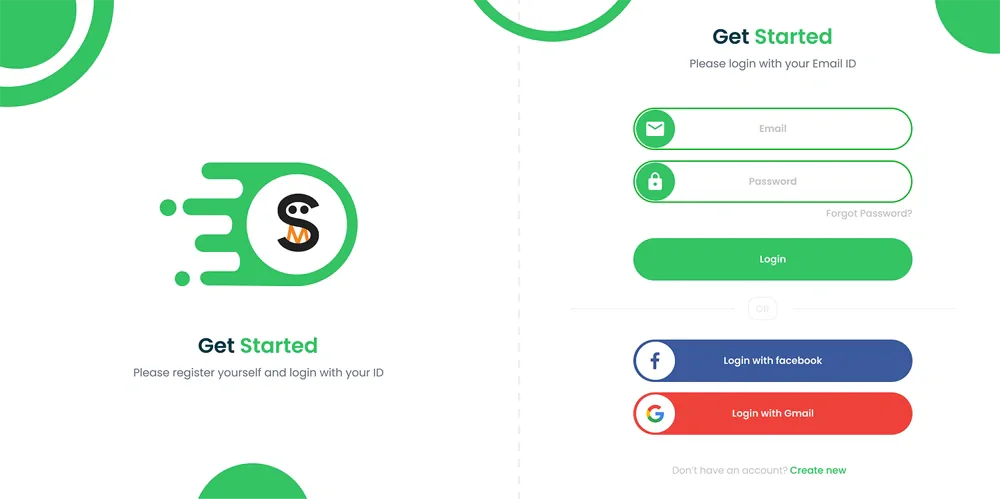
Login Screen
A clean login screen designed for quick restaurant dashboard access.
Our UI/UX Design Process
We followed a structured Figma design process to plan, design, refine, and organize the ServeMe restaurant dashboard experience across menu management, orders, customers, notifications, and settings.
Discovery & Dashboard Flow Planning
We reviewed the restaurant dashboard concept, admin users, food ordering workflow, menu categories, order status needs, customer records, and notification flow.
Design Tools Used
The stack was selected for performance, scalability, and maintainability.
Figma
UI Design & Prototype
Dashboard UI
Admin Interface Design
UX Flow
Restaurant Operations
Design System
Reusable Dashboard Components
Key Screens Designed
Core features designed and delivered for this project.
Food Menu Management
Menu screens with category filters, food cards, selected items, and quick order summaries.
Analytics Dashboard
Dashboard widgets for order trends, calendar activity, category breakdown, and daily order tracking.
Order Management
Status-based order cards for tracking customer orders and restaurant actions.
Customer Records
Customer screens for reviewing customer details, dates, order history, and account information.
Notification Center
Notification screens for restaurant updates, customer actions, and filterable alerts.
Account Settings
Settings screens for viewing and editing restaurant account information.
Related Projects
Explore more projects from similar categories.
Need a restaurant dashboard UI?Let’s design your ordering system
We design clean Figma dashboard interfaces for restaurants, delivery platforms, food ordering apps, admin panels, and business operations.
Frequently Asked Questions
Find quick answers to the most common questions about our services, process, and support.
ServeMe is a Figma-based restaurant dashboard UI/UX design project created to help restaurants manage food menus, orders, customers, notifications, analytics, and day-to-day operational workflows through a modern admin interface.
Can't find what you're looking for?
Our support team is ready to answer your questions.